
When Kids Are Ready to Join a Scratch Coding Program
Are you wondering if your child is ready to start scratch with Scratch? This guide outlines readiness by age students, from 5-7-year-old kids scratch tackling simple projects, to 8-10-year-old early intermediates, and 11+ advanced creators. Look for key indicators such as problem solving abilities, consider developmental milestones, try out engaging coding projects to test interest, and address any potential challenges. Explore Meta Robotics' leading programs in Singapore, along with a step-by-step assessment designed to nurture creativity and future-ready skills—your ideal starting point.
Key Takeaways:
- Assess readiness by age: 7 year olds 5-7 start with simple Scratch projects like animations; 8-10 tackle interactive games; 11+ explore advanced scratch coding logic.
- Look for signs like basic problem-solving, following multi-step instructions, and curiosity about digital creation to gauge Scratch program fit.
- Early enrollment boosts creativity, logic skills, and confidence—use milestone checklists and trial projects to ensure timely, challenge-free start.
Understanding Scratch Platforms by Age
Scratch platforms vary by age, with scratch online via the Scratch website working seamlessly on Chrome browser for Windows, MacOS, or even Android through Google, featuring the intuitive interface Scratch interface, stage area, sprite library, and sensors for interactive games.
For 7 year olds and coding beginners, this free online tool shines with its drag-and-drop interface. Kids use browser tabs on laptops with mice to explore visual programming. They start simple projects like a greeting card or DJ cat, building mouse skills and basic computational thinking.
Young students in early childhood learning access sprites and code blocks without download scratch. The user-friendly interface supports scratch for kids, fostering creativity through block-based coding. Parents guide them on the Scratch website, ensuring safe online community engagement.
As kids advance to middle school education and high school education, Scratch handles complex coding projects like Make a Maze or Geometry Dash. Meta Robotics' Singapore classes enhance this with scratch workshops and camps, teaching problem-solving skills, teamwork skills, and logical thinking in a structured setting.
Signs Kids Are Ready for Scratch Coding
Key signs kids are ready for Scratch coding include mastering basic mouse skills, keyboard skills, and spelling skills, showing logical thinking and problem solving as they experiment with drag and drop code blocks and hit the green flag.
Bright kids and young students often display curiosity about the digital world. They enjoy exploring apps or simple games on tablets. This interest signals readiness for visual programming in Scratch.
Comfort with basic tech helps coding beginners thrive. Kids who navigate browser tabs or use laptops mice without frustration can focus on creativity projects. Look for enthusiasm in following project instructions.
- Independently moves the mouse to select items and clicks accurately.
- Types simple words using the keyboard with minimal help.
- Spells basic names or commands, like sprites or blocks.
- Shows problem-solving skills by trying different ways to fix a toy or puzzle.
These traits prepare age students for Scratch's user-friendly interface. Programs like Meta Robotics' Scratch workshops build on this foundation for computational thinking.
Curiosity in the Digital World
Young students ready for scratch for kids show strong interest in screens and tech. They ask questions about how games work or what makes animations move. This curiosity drives engagement with block-based coding.
Watch for kids who create simple interactive stories on paper before trying digital ones. They mimic interactive stories or games stories animations. Such play hints at potential for creativity development.
In Meta Robotics' programs for age 8 and up, this curiosity shines in coding projects like make a maze or greeting card. It fosters logical thinking skills through fun exploration.
Encourage this by letting them tinker with free online tool. Their excitement for the stage area and sprites confirms readiness for Scratch online.
Basic Tech Comfort
Kids with solid mouse skills and keyboard skills handle Scratch's drag-and-drop interface easily. They click the green flag to start scripts without hesitation. This comfort lets them focus on problem solving.
Coding beginners who manage laptops mice and open apps independently progress quickly. spelling skills help name code blocks accurately. These basics support visual coding blocks.
- Drags items smoothly across the screen.
- Uses arrow keys to navigate menus.
- Types project titles like DJ Cat or Starfish Choir.
Meta Robotics' Scratch camps for 7 year olds emphasize these skills. They build confidence for educational games and interactive animations.
Early Logical Thinking and Problem Solving
Signs of logical thinking appear when kids sequence tasks, like building a blocks tower step by step. They experiment and adjust when things go wrong. This mirrors using code blocks in Scratch.
Bright kids show problem-solving skills in play, such as figuring out a maze starter puzzle. They persist through trial and error. These habits transfer to programming pallet challenges.
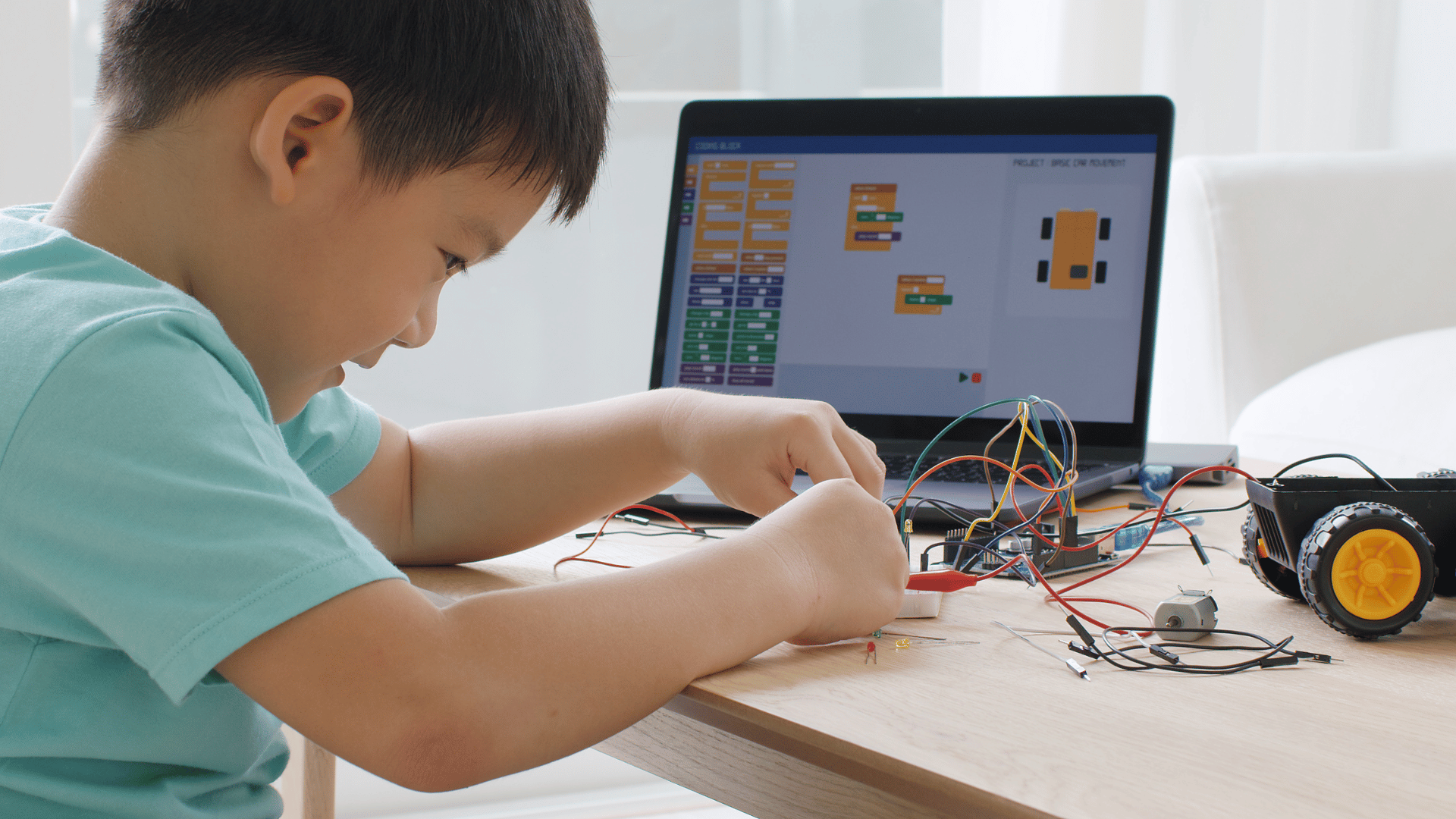
In group settings, they develop teamwork skills while sharing ideas. Meta Robotics programs nurture this for year 4 students through Scratch coding projects like Geometry Dash.
Observe them stacking script commands mentally before dragging blocks. Readiness for code club or workshops grows from such natural computational thinking.
Ages 5-7: Beginner Readiness and Projects
For ages 5-7 like 7 year olds in early childhood learning, coding beginners readiness shines with simple scratch for kids projects like creating a Greeting Card or DJ Cat using the programming pallet, visual coding blocks, and basic scripts.
These young students start with the drag-and-drop interface of block-based coding, which makes scratch coding approachable. Kids drag code blocks onto the stage area to control sprites like DJ Cat. This builds mouse skills and introduces computational thinking through play.
Projects such as a Greeting Card teach sequencing with simple scripts under the green flag. Children explore sprites and basic motions, fostering problem-solving skills. Parents notice improved logical thinking as kids test and tweak their creations.
Meta Robotics scratch workshops guide these coding beginners with hands-on activities using laptops, mice, and project instructions. Workshops emphasize creativity development through interactive animations and educational games. They also nurture teamwork skills in a supportive group setting.
Ages 8-10: Early Intermediate Readiness
year 4 students around age 8, hit early intermediate readiness in middle school education by tackling Maze Starter, Make a Maze, Starfish Choir, or Geometry Dash with sprites, code blocks, and the stage area.
These kids build on basic scratch programming skills using the drag-and-drop interface. They learn to control sprites across the stage area, adding motion and sound for engaging results. Programs like scratch camps guide them through these steps.
In coding projects such as Geometry Dash, children arrange code blocks to create jumping characters and obstacles. This develops problem-solving skills as they test and tweak scripts. Classes styled like Singapore's Code Zone or Hackers Club at Meta Robotics offer structured support.
Young students practice logical thinking by linking events to the green flag. They explore visual programming to make interactive games or animations. Such activities foster computational thinking and creativity in a fun way.
Ages 11+: Advanced Scratch Readiness
For ages 11+ in high school education, advanced Scratch readiness involves complex projects like Spiral Make, crafting interactive animations, games stories animations, honing logical thinking skills and teamwork skills in the online community.
Students at this level master scratch programming through visual programming with drag-and-drop code blocks. They build educational games and interactive stories, using sprites in the stage area to create dynamic scenes. This develops computational thinking and prepares them for real-world coding challenges.
Community engagement thrives in the Scratch community, where kids share projects and remix others' work. Teamwork skills grow as they collaborate on multiplayer games or animations. Experts recommend starting with Make a Maze or Geometry Dash clones to practice problem-solving skills.
Advanced users explore transitions to Python or JavaScript via Meta Robotics integrations. They tackle coding projects like DJ Cat or Starfish Choir, fostering creativity development. This stage builds confidence for lifelong learning in the digital world.
Key Developmental Milestones for lifelong learning
Key developmental milestones for Scratch coding, developed by MIT's Lifelong Kindergarten group at the MIT Media Lab, include building computational thinking, problem-solving skills, creativity, and logical thinking skills through mouse skills and keyboard skills, supporting lifelong learning. Kids gain confidence as they drag and drop code blocks to create simple projects. This process strengthens fine motor control and basic navigation in a digital environment.
The visual programming approach uses an intuitive Scratch interface with graphical representations, making it ideal for coding beginners. Young students, like 7 year olds, start with fun tasks such as building a Greeting Card or DJ Cat animation. These activities foster creativity development while introducing concepts like sequences and loops.
In programs like Meta Robotics by experts like Ken Adelglass and Paul Chapman, these milestones tie into professional development by progressing from block-based coding to more advanced skills like Python, JavaScript, Java, and CSS. Children practice teamwork skills in Scratch workshops or code clubs, sharing projects in the Scratch community. Examples include designing interactive stories or maze games that teach persistence and debugging.
Parents notice improvements in spelling skills and focus as kids follow project instructions on laptops with mice using Chrome browser on Windows, MacOS, or even Android via Google. From early childhood learning to middle school education, Scratch prepares bright kids for the digital world. This foundation supports educational games and real-world applications in coding camps.
Top Scratch website Projects to Test Readiness
Test readiness with top Scratch projects like Maze Starter, Greeting Card, DJ Cat, Starfish Choir, Spiral Make, Make a Maze, and Geometry Dash, following project instructions for coding projects. These activities use the user-friendly Scratch interface of Scratch to build interactive stories and games. They help assess if kids have the basic mouse skills and logical thinking needed for scratch coding.
Start with simple ones like Greeting Card, where children drag and drop code blocks to add motion and sound. Success here shows comfort with the drag-and-drop interface and stage area. If they complete it smoothly, they are ready for more complex visual programming tasks.
Projects like DJ Cat and Starfish Choir introduce sprites and scripts that respond to the green flag. Kids practice problem-solving skills by troubleshooting blocks. These tests reveal if young students, such as 7 year olds or age 8 learners, grasp computational thinking.
Advanced options like Maze Starter or Geometry Dash challenge logical thinking skills with loops and conditionals. Completing them indicates readiness for Scratch workshops, including Meta Robotics programs. Encourage coding beginners to share in the online community for feedback.
Maze Starter and Make a Maze
Maze Starter teaches navigation using sprites and sensing blocks in a block-based coding setup. Kids follow project instructions to guide a character through paths, building problem-solving skills. This tests if they manage sprites and scripts without frustration.
Make a Maze expands on this by letting children design their own levels with interactive games. They use variables for scoring, checking keyboard skills and planning. Success shows readiness for group activities in scratch camps, Code Club, Game Dev Clubs, Code Zone, or Hackers Club.
These projects promote creativity through custom mazes and obstacles. They prepare bright kids for teamwork skills in workshops. Experts recommend them for early childhood learning with Scratch.
DJ Cat and Starfish Choir
DJ Cat uses sound blocks to create music sequences when the green flag clicks. Children arrange beats with code blocks, testing timing and repetition. This interactive animation builds confidence in the intuitive interface.
Starfish Choir adds harmony by syncing multiple sprites to sing together. Kids experiment with pitches, enhancing creativity development. It checks if they handle layers of visual coding blocks.
Both foster community engagement by remixing in Scratch's online space. They suit year 4 students developing logical thinking. Use them to gauge fit for Meta Robotics Scratch workshops.
Greeting Card, Spiral Make, and Geometry Dash
The Greeting Card project starts with basic motion for holidays or events. Drag-and-drop elements create interactive stories, testing spelling skills and sequencing. It's ideal for absolute scratch for kids beginners.
Spiral Make draws patterns using pen blocks and loops, promoting graphical representations. Children adjust angles for designs, sharpening math intuition. This reveals comfort with programming pallet tools.
Geometry Dash-style clones involve jumping mechanics and obstacles. They demand precise event handling for educational games. Mastery signals readiness for advanced coding projects and clubs.
Benefits of Timely Scratch Enrollment
Timely Scratch enrollment unlocks educational opportunities, boosting teamwork skills in the digital world, much like a Code Club where kids start Scratch via Scratch website for Scratch community engagement.
Children gain creativity development through building interactive stories and games. They use the drag-and-drop interface to create projects like a greeting card or DJ cat. This visual programming approach makes coding fun for beginners.
Logical thinking skills improve as kids solve problems with code blocks and sprites. Enrolling early in scratch camps or workshops helps them practice problem-solving skills in a supportive setting. Parents notice better focus and persistence in young students.
Joining the online community connects kids with peers worldwide. They share projects, get feedback, and join challenges like make a maze. This builds confidence and inspires lifelong interest in block-based coding.
Step-by-Step Readiness Assessment
Conduct a step-by-step readiness assessment: log in to Scratch website, open browser tabs with project instructions on laptops mice, practice drag and drop, and click the green flag.
This process helps parents and teachers check if kids have the mouse skills and basic keyboard skills needed for scratch coding. Young students, like 7 year olds or age 8 in year 4, can start with simple tasks in the user-friendly interface. It builds confidence before joining scratch camps or scratch workshops.
Begin by ensuring the child can navigate the Scratch interface, locate the stage area, and select sprites from the programming pallet. Practice snapping code blocks together to create a basic script, such as moving a sprite when the green flag is clicked. If issues arise, like being blocked by mistake, file ticket through the online community support.
Watch for smooth drag-and-drop interface use and clicking the green flag to run projects like a maze starter or greeting card. This assessment reveals if the child is ready for block-based coding and computational thinking. Adjust based on their comfort with logical thinking skills.
Checking Basic Navigation and Login
First, guide the child to log in to Scratch online using a parent-supervised account, avoiding needs like a reddit account or developer token. Open multiple browser tabs with project instructions to mimic real coding projects. Test switching tabs smoothly on laptops with mice.
Ensure they can find the stage, add sprites, and explore the drag-and-drop interface. For coding beginners or bright kids, this confirms scratch for kids readiness. Practice with free projects like DJ Cat or starfish choir.
If login fails or access is blocked by mistake, file a ticket via Scratch support. This step verifies spelling skills for usernames and builds problem-solving skills. Kids ready here can move to block snapping.
Practicing Drag-and-Drop with Code Blocks
Next, have the child practice drag and drop to connect visual coding blocks in the Scratch interface. Start with simple scripts like making a sprite say hello or move across the stage area. Use examples from spiral make or make a maze to engage them.
Focus on snapping blocks for motion, looks, and sound categories. This tests logical thinking and prepares for games stories animations. Watch for frustration, which signals need for more mouse skills practice.
Incorporate sensors by adding blocks that respond to touches or keys. For early childhood learning, keep sessions short in a code club style. Success here indicates readiness for interactive stories.
Running Projects and Clicking Green Flag
Instruct the child to click the green flag to start projects after assembling code blocks. Test with beginner templates like geometry dash clones or simple educational games. Observe if they stop and edit scripts easily.

This reveals comfort with the intuitive interface and start Scratch basics for kids scratch programs. Encourage remixing shared projects from the online community to foster creativity.
If projects glitch, teach basic troubleshooting like checking block order or sprite layers. Ready kids show teamwork skills potential for scratch workshops. This completes the assessment for visual programming entry.
Common Age-Specific Challenges & Solutions
Common age-specific challenges include network security issues or getting blocked by mistake. Solutions like creating a Reddit account, using a developer token, or checking Quora help young students. These steps make scratch coding accessible for coding beginners.
For 7 year olds and early childhood learning, mouse skills, spelling skills, and keyboard skills often pose hurdles. Parents can start with DJ Cat or Greeting Card projects to build confidence. Scratch workshops or scratch camps provide guided practice in a fun setting.
Age 8 kids in year 4 may struggle with project instructions or managing browser tabs on laptops mice. Encourage drag-and-drop interface exploration through Maze Starter activities. Joining a Code Club fosters teamwork skills and problem-solving skills.
Older bright kids face network security blocks when sharing scratch online projects like Starfish Choir or Geometry Dash. Create a Reddit account for Scratch community support or file a ticket if blocked by mistake. A developer token ensures smooth community engagement.
Younger Kids (Ages 5-7): Building Basic Skills
Scratch for kids at this stage focuses on visual programming with sprites and blocks. Challenges include limited mouse skills for the stage area and understanding green flag to start. Use simple Spiral Make tasks to develop computational thinking.
Block-based coding helps overcome spelling skills gaps since no typing is needed. Parents guide through programming pallet selection for interactive stories from the MIT Scratch website. This builds logical thinking without frustration.
Experts recommend short sessions with user-friendly Scratch interface features. Pair kids with peers in scratch coding groups for creativity development. Celebrate small wins like a moving sprite to encourage persistence.
Middle Elementary (Ages 8-10): Navigating Interfaces
At this level, middle school education prep involves drag and drop for coding projects like Make a Maze. Kids often juggle laptops mice and multiple browser tabs for scratch online. Practice with file ticket processes if access issues arise using Chrome browser.
Visual coding blocks support problem solving in games stories animations. Network hurdles, like being blocked by mistake, disrupt sharing. A developer token or reddit account resolves these for seamless log in on Windows, MacOS, or Android.
Scratch workshops teach keyboard skills alongside logical thinking skills. Explore interactive games to enhance digital world navigation. This age thrives on educational games that blend fun with skill-building.
Upper Elementary (Ages 11-13): Advanced Problem Solving
High school education transition brings complex script challenges in scratch programming. Network security blocks during community engagement are common. Check Quora or create a reddit account for peer advice on developer token setup.
Students tackle educational opportunities like geometry dash clones, honing problem-solving skills. Graphical representations in the stage area demand precise code blocks. Online community forums help debug issues quickly.
Encourage lifelong learning through code club participation and teamwork skills. Free online tool features like remix options spark creativity. These experiences prepare kids for professional development in coding.
Choosing the Right Scratch Program in Singapore
In Singapore, choose Meta Robotics for the right Scratch program with coding classes, scratch workshops, and scratch camps akin to Code Club, Game Dev Clubs, Code Zone, or Hackers Club.
These programs focus on visual programming through a drag-and-drop interface, making it ideal for coding beginners. Kids build educational games, interactive stories, and animations using sprites and code blocks. This approach builds computational thinking and problem-solving skills early on.
Meta Robotics emphasizes Scratch for kids, starting from age 7 for 7 year olds with basic mouse skills, spelling, and keyboard skills. Sessions include project instructions like making a Maze Starter, Greeting Card, or DJ Cat project. Parents appreciate the structured yet fun environment that fosters logical thinking.
For bright kids and young students, options like block-based coding in scratch camps encourage teamwork skills. Programs use laptops mice and browser tabs for scratch online access. This mirrors global tools like the free Scratch online community for sharing projects.
Key Features of Meta Robotics Scratch Programs
Meta Robotics offers a user-friendly interface with visual coding blocks that spark creativity. Children learn to use the stage area, programming pallet, and green flag to start scripts. Examples include creating Starfish Choir or Spiral Make animations.
Educational games teach problem-solving skills through projects like make a maze or Geometry Dash clones. The drag and drop method suits early childhood learning. It helps kids develop logical thinking skills without complex typing.
Workshops cover games stories animations with graphical representations. Scratch programming builds confidence for middle school education. Community engagement mirrors online community sharing on platforms like Scratch.
Classes promote creativity development via interactive animations and interactive games. This prepares students for the digital world with real coding projects.
Age-Appropriate Scratch Workshops and Camps
For age 8 or year 4 students, Meta Robotics tailors scratch workshops to match skill levels. Beginners start with simple sprites and blocks for Greeting Card projects. This nurtures computational thinking gently.
Scratch camps for kids scratch enthusiasts include group activities on scratch coding. Kids collaborate on coding projects like multiplayer games. It enhances teamwork skills alongside individual creation.
Programs suit start scratch journeys, from 7 year olds to older groups. Use of intuitive interface ensures fun for all. Parents see gains in problem-solving skills and digital literacy.
These camps offer educational opportunities like sharing in an online community. It extends learning beyond class with home projects on the free online tool.
Benefits for Lifelong Learning
Meta Robotics Scratch programs lay foundations for Lifelong Kindergarten and professional development. Through visual programming, kids gain logical thinking for future tech challenges. Examples include debugging maze games to understand sequences.
From early childhood learning to high school education, skills transfer to advanced coding. Community engagement builds portfolios of educational games. This boosts confidence in the digital world.
Experts recommend such hands-on scratch for kids exposure for creativity and innovation. Programs avoid unrelated topics like network security, focusing on core block-based coding. Results include eager coding beginners ready for more.
Essential Resources and Next Steps
Essential resources include the Scratch website's sprite library and code blocks to start Scratch, progressing to Python, JavaScript, Java, CSS, or AndroidScript, inspired by UK Code Club.
Kids can explore the free online tool Scratch to build interactive stories and games. The drag-and-drop interface helps coding beginners practice visual programming. Parents guide young students through project instructions like make a maze or DJ Cat.
Join an online community for community engagement. Share projects in Scratch forums to build teamwork skills and problem-solving skills. This supports lifelong learning from early childhood to high school education.
- Download Scratch for offline use with visual coding blocks.
- Attend Scratch camps or Scratch workshops for hands-on practice.
- Practice mouse skills, spelling skills, and keyboard skills on laptops with mice.
- Progress to block-based coding in code club sessions for year 4 or age 8 kids.
Starting with Scratch Basics
Begin with the Scratch for kids platform using the stage area and sprites. Drag blocks to create scripts like a greeting card or starfish choir. This builds computational thinking and logical thinking skills.
Use the green flag to test games stories animations. The user-friendly interface suits 7 year olds and bright kids. Focus on creativity development through simple coding projects.
Open browser tabs for Scratch online access using Google Chrome browser. Experiment with programming pallet for graphical representations. This prepares kids for the digital world.
Advancing to Advanced Coding
After mastering scratch coding, transition to text-based languages. Start Python for problem solving, then JavaScript for web projects. UK Code Club models show clear paths from scratch programming to professional development.
Explore educational games and interactive animations in advanced tools. Build network security basics or Android apps. This fosters logical thinking beyond visual programming.
Encourage educational opportunities like middle school coding clubs. Use intuitive interface in new languages for smooth progression. Promote creativity in interactive games.
FAQs on Scratch Age Readiness
FAQs on Scratch age readiness cover queries like 'Is Scratch for 7 year olds or year 4 age 8 students?' and suitability for various age students, even Japanese speakers. These questions help parents and educators gauge when kids are ready for Scratch coding. The platform from MIT Media Lab's Lifelong Kindergarten group suits a wide range from early childhood learning to middle school education.
Visual programming with its drag-and-drop Scratch interface makes Scratch accessible for coding beginners. Young students build interactive stories or simple games using sprites and blocks. This fosters problem-solving skills without typing code.
The Scratch community, backed by MIT and the MIT Media Lab, offers project instructions and an online Scratch community for sharing via the Scratch website. Kids develop creativity through coding projects like DJ Cat or Maze Starter. Even beginners with basic mouse skills thrive in this user-friendly interface.
For computational thinking, Scratch teaches logical thinking via scripts and the stage area. Programs like scratch workshops or code clubs adapt to different ages. Parents check readiness by seeing if kids handle browser tabs or laptops mice comfortably.
Is Scratch Suitable for 7 Year Olds?
Yes, Scratch works well for 7 year olds ready with basic mouse skills, spelling skills, and keyboard skills in Chrome browser on Windows or MacOS. The block-based coding and intuitive interface let them start Scratch by clicking the green flag. They create simple Greeting Card projects right away.
Problem solving grows as kids snap code blocks for sprites in the programming pallet. This builds logical thinking skills through trial and error. Bright kids in early childhood learning engage without frustration.
MIT's free online tool supports kids scratch experiences via scratch online. Join the Scratch community for shared animations and games stories. Watch for interest in educational games to confirm readiness.
Experts recommend starting with guided scratch camps for young students. These nurture creativity development and teamwork skills. Adjust based on the child's comfort with graphical representations.
What About Year 4 Age 8 Students?
Year 4 age 8 students often excel in Scratch due to stronger logical thinking. They handle complex projects like Starfish Choir or Spiral Make using the drag-and-drop system. This age fits perfectly for scratch for kids in school settings.
The visual coding blocks teach computational thinking through interactive animations. Kids remix community projects to boost creativity. Programs encourage community engagement by sharing in the online community.
For middle school education, Scratch builds toward advanced topics like Python and JavaScript while keeping fun. Use Make a Maze or Geometry Dash clones to practice scripts. It prepares for Lifelong Kindergarten learning in the digital world.
Educational opportunities like code clubs help year 4 kids collaborate. Monitor progress with project instructions. This stage hones problem-solving skills essential for future coding.
Frequently Asked Questions
When Kids Are Ready to Join a Scratch Coding Program?
Children are typically ready to join a Scratch coding program like those in Code Club or Game Dev Clubs when they are between 8-12 years old, have basic computer skills like using a mouse and keyboard, and show curiosity about technology. At Code Zone or Hackers Club in Singapore, our Scratch classes build on these foundations to introduce block-based coding in a fun way.
What Age is Ideal for Kids to Start a Scratch Coding Program?
The ideal age for kids to join a Scratch coding program is around 8 years old, as Scratch is designed for ages 8 and up by MIT. Younger kids (6-7) can participate if they have prior exposure, and Meta Robotics tailors classes in Singapore to ensure a smooth start, unlike more advanced programs in the UK or Japanese markets.
What Skills Do Kids Need Before Joining a Scratch Coding Program?
Kids need basic familiarity with computers like Android devices, logical thinking, and creativity to be ready for a Scratch coding program. No prior coding experience in Java or CSS is required—Meta Robotics' Singapore courses teach everything from scratch through engaging projects.
How to Tell if Your Child is Ready for a Scratch Coding Program?
Signs your child is ready include enjoying puzzles, games, or storytelling, and comfortably navigating apps. If they're excited about making their own games, they're set for a Scratch coding program at Meta Robotics in Singapore, as discussed on forums like Reddit and Quora.
Are There Prerequisites for Kids Joining a Scratch Coding Program?
No strict prerequisites exist, but kids should be able to follow simple instructions and work independently for short periods. Meta Robotics' Scratch coding programs in Singapore, inspired by experts like Ken Adelglass and Paul Chapman, assess readiness during free trial classes.
Can Younger Kids Join a Scratch Coding Program at Meta Robotics?
Yes, kids as young as 7 can join introductory levels of our Scratch coding program using tools like AndroidScript if they demonstrate readiness. Meta Robotics in Singapore and Google partners offer age-appropriate tracks to ensure all children thrive in coding classes.