Introduction
Coding is becoming an increasingly familiar part of children’s education in Singapore. From creating simple animations to programming robots, children now have more opportunities to explore how technology works and learn to create with it.
For parents, however, choosing the right coding class can be confusing.
Should children start with Scratch or Python? Is coding suitable for preschoolers? Are robotics classes the same as coding classes? And with artificial intelligence becoming more capable, is learning to code still relevant?
The answers depend on your child’s age, interests and learning readiness.
This guide explains what children can learn from coding, the different types of coding classes available in Singapore and what parents should consider before enrolling their child.
What Do Children Learn in Coding Classes?
Coding is the process of creating instructions that a computer, application or robot can follow.
In beginner coding classes, children do not necessarily start by typing complicated programming commands. Younger learners may begin with visual instructions, sequencing games or simple programming blocks.
As they progress, they can explore concepts such as:
- Sequencing: Arranging instructions in the correct order.
- Loops: Repeating actions without writing the same instruction multiple times.
- Conditions: Making decisions based on different situations.
- Variables: Storing and changing information.
- Debugging: Identifying and correcting errors.
- Algorithms: Developing a logical series of steps to solve a problem.
These concepts form part of computational thinking, which involves breaking problems into manageable parts and developing systematic solutions.
The objective of a good beginner coding programme is not simply to teach children programming commands. It is to help them understand how and why their instructions work.
What Is the Best Age for Kids to Start Coding?
There is no single ideal age to begin learning coding.
Children develop their reading abilities, attention spans, motor skills and logical thinking at different rates. A suitable starting point should reflect their developmental readiness rather than their age alone.
The following table provides a general guide.
| Age group | Suitable learning approaches | Main focus |
|---|---|---|
| 3–4 years | Unplugged coding activities, sequencing games and guided robotics | Patterns, sequencing and cause and effect |
| 5–6 years | Icon-based coding, simple robotics and interactive challenges | Basic logic, sequencing and step-by-step instructions |
| 7–9 years | Block-based coding, Scratch-style projects and programmable robotics | Loops, conditions, debugging and creativity |
| 10–12 years | Advanced block-based coding, robotics programming and introductory text-based coding | More complex logic, algorithms and independent projects |
These are suggested learning approaches, not fixed developmental requirements. Individual readiness varies.
For younger children, hands-on activities can be particularly useful because they connect abstract programming concepts to visible actions.
Older children may be ready for more independent programming challenges, particularly if they already have experience with logical reasoning or block-based coding.
The key is to choose a programme that offers appropriate challenges without overwhelming the learner.
Different Types of Coding Classes for Kids
Not all coding classes teach the same skills or use the same approach.
Understanding the main differences can help parents choose a programme that matches their child’s interests.
1. Icon-Based Coding Classes
Icon-based coding introduces programming concepts through simple pictures and symbols instead of written commands.
Children arrange icons representing actions such as moving forward, turning or repeating a movement to create a sequence of instructions.
This approach is particularly suitable for younger learners, typically aged 5 to 6, who may not yet be confident readers.
For example, a child might arrange arrow icons to programme a robot to move through a simple obstacle course.
By observing how the robot responds, children begin to understand sequencing, direction and cause and effect.
Icon-based coding provides an accessible introduction to programming logic without requiring children to read complex instructions or learn programming syntax.
As their confidence and understanding develop, children can progress towards block-based coding, which introduces more advanced programming concepts.
2. Block-Based Coding Classes
Block-based coding uses visual programming blocks that children connect to create instructions. Unlike icon-based coding, which typically uses simple symbols to represent actions, block-based coding can introduce more complex instructions and programming structures.
Rather than typing code, learners connect blocks representing actions, loops, conditions and other programming concepts.
Platforms such as Scratch are commonly used to introduce these ideas.
Children can create animations, interactive stories and simple games while learning how programming logic works.
Block-based coding can be a suitable starting point for beginners because it reduces the need to remember programming syntax.
However, children still need to think carefully about how their instructions are structured.
3. Text-Based Coding Classes
Text-based coding involves writing instructions using programming languages such as Python.
Children learn programming syntax alongside concepts such as variables, loops, conditions and functions.
These classes may be suitable for older children who are comfortable with basic coding concepts, reading and typing.
Text-based coding can provide opportunities to develop more advanced projects, but it is not necessarily the best starting point for every beginner.
A gradual transition from visual programming to text-based coding can help children build confidence and understanding.
4. Robotics and Coding Classes
Robotics combines programming with physical construction, electronics or mechanical systems.
Instead of seeing the results only on a screen, children can programme a robot to move, respond to sensors or complete a task.
For example, a child might programme a robot to move forward, detect an obstacle and turn in another direction.
This requires both coding logic and an understanding of how the robot interacts with its environment.
Robotics can make programming concepts more tangible, particularly for children who enjoy building and experimenting.
It also introduces opportunities to practise engineering design, testing and troubleshooting.
5. Game Development and Creative Coding
Some coding programmes focus on creating games, animations or interactive digital projects.
These activities can appeal to children who enjoy storytelling, design or gaming.
A child might create a simple platform game, design characters or programme how objects interact.
The learning value comes from understanding the logic behind the project, rather than simply producing an attractive final result.
Which Coding Approach Should Your Child Learn?
Parents often compare different coding approaches when exploring enrichment options for their children.
Icon-based and block-based coding are both forms of visual programming, but they differ in complexity and how instructions are represented.
Text-based coding introduces written programming languages such as Python, while robotics provides a hands-on learning approach that can incorporate icon-based, block-based or text-based programming, depending on the learner’s level.
These approaches are not mutually exclusive. Children may progress between them or explore more than one approach as their interests and abilities develop.
| Approach | Main characteristics | May suit children who |
|---|---|---|
| Icon-based coding | Picture-based instructions, sequencing and simple actions | Are younger beginners, particularly aged 5–6 |
| Block-based coding (e.g. Scratch) | Visual blocks, animations, games and interactive projects | Are ready to explore more complex coding logic |
| Text-based coding (e.g. Python) | Written programming instructions and software projects | Are comfortable with reading, typing and abstract challenges |
| Robotics | Physical construction, programming and hands-on experimentation | Enjoy building, testing and solving practical challenges |
None is universally better than the others.
A child interested in creating games may be motivated by Scratch, while another who enjoys building machines may find robotics more engaging.
What matters is whether the learning experience develops a sound understanding of programming concepts and provides opportunities to apply them.
For a closer look at visual programming, read our guide to Scratch Coding for Kids in Singapore.
What Are the Benefits of Coding Classes for Children?
Coding classes can provide opportunities to develop skills beyond programming itself.
The benefits depend on the learning activities, teaching approach and child’s engagement.
Developing Logical Thinking
Programming requires children to consider the order of instructions and understand relationships between actions and outcomes.
When a programme behaves unexpectedly, learners must investigate what happened and determine how to correct it.
This encourages systematic reasoning.
Strengthening Problem-Solving Skills
Coding projects often involve breaking a larger task into smaller parts.
Children learn to plan, test and refine solutions instead of approaching every challenge through trial and error alone.
These habits can also be reinforced through hands-on robotics activities.
Encouraging Creativity
Coding is not limited to technical exercises.
Children can use programming to create games, animations, stories and interactive experiences.
When learners are given opportunities to design their own projects, coding can become a creative activity rather than simply following instructions.
Building Perseverance
Errors are a normal part of programming.
With appropriate guidance, children can learn to approach mistakes as information that helps them improve their work.
Successfully resolving a difficult problem can also provide a sense of achievement.
Understanding Technology
As children interact with digital technology, coding can help them understand that applications and devices operate according to designed instructions and systems.
This can encourage a more active relationship with technology, where children learn to create and question rather than only consume.
Is Learning Coding Still Relevant in the Age of AI?
With artificial intelligence increasingly capable of generating computer code, some parents may wonder whether children still need to learn programming.
It is a reasonable question.
AI tools can assist with writing code, identifying errors and explaining programming concepts. However, generating code is not the same as understanding the problem that needs to be solved.
Someone still needs to define the objective, evaluate the proposed solution and determine whether the output is correct.
For children, learning coding can provide a foundation for understanding how digital systems work and how to approach problems logically.
These skills remain relevant even when AI tools become part of the development process.
In fact, learning to work with AI responsibly may make foundational thinking skills even more important.
Children who understand basic programming concepts are better positioned to question, test and improve AI-generated solutions rather than accepting them without evaluation.
The goal is not necessarily to prepare every child to become a programmer. It is to help children develop the confidence and understanding to create, solve problems and work with technology thoughtfully.
How to Choose a Coding Class for Your Child in Singapore
With different enrichment options available, parents should look beyond the programming language or technology used.
Here are six considerations when comparing coding classes.
1. Age and Learning Readiness
A suitable programme should match your child’s developmental stage.
Younger children may benefit from guided, hands-on activities, while older learners may be ready for more independent projects.
2. Teaching Approach
Find out whether lessons involve active experimentation or primarily following instructions.
Children should have opportunities to explain their thinking, make decisions and learn from mistakes.
3. Curriculum Progression
Ask how the programme develops over time.
A structured curriculum should introduce new concepts progressively and build on previous learning rather than repeating similar beginner activities indefinitely.
4. Class Size and Guidance
Consider whether the class environment allows educators to observe individual progress and provide appropriate support.
Children may need different levels of guidance depending on their experience and confidence.
5. Projects and Practical Application
Look for activities that allow children to apply coding concepts in meaningful ways.
This could involve creating games, programming robots or completing open-ended challenges.
6. Your Child’s Interest
One of the most important considerations is whether your child enjoys the learning experience.
A child who is curious and engaged is more likely to continue experimenting and developing their skills.
How Much Do Coding Classes Cost in Singapore?
Coding enrichment fees vary depending on the provider, lesson duration, class size, curriculum and equipment used.
Some providers offer short workshops or holiday programmes, while others operate ongoing weekly classes with progressive curricula.
When comparing fees, parents should consider the total learning experience rather than looking only at the price per lesson.
Useful questions include:
- How long is each lesson?
- Are learning materials or equipment included?
- Are there registration or other additional fees?
- Is the programme structured for long-term progression?
- What happens if a child misses a lesson?
- Are trial or assessment sessions available?
A lower-priced class is not necessarily better value if it does not match the child’s learning needs.
For a more detailed discussion of enrichment pricing, refer to our guide on coding class costs in Singapore.
Should Your Child Learn Coding or Robotics First?
Coding and robotics are complementary rather than competing learning paths.
Coding focuses on creating logical instructions, while robotics allows children to apply those instructions to physical systems.
For example, a child learning loops through block-based coding might create an animated character that repeats a movement.
In robotics, the same concept could be applied to a robot repeating a sequence of actions.
Both experiences can reinforce computational thinking.
For children who enjoy hands-on construction, robotics may provide an engaging introduction to coding. For those who prefer digital creativity, visual programming may be a natural starting point.
There is no requirement to master one before exploring the other.
How Meta Robotics Introduces Coding Through Hands-On Learning
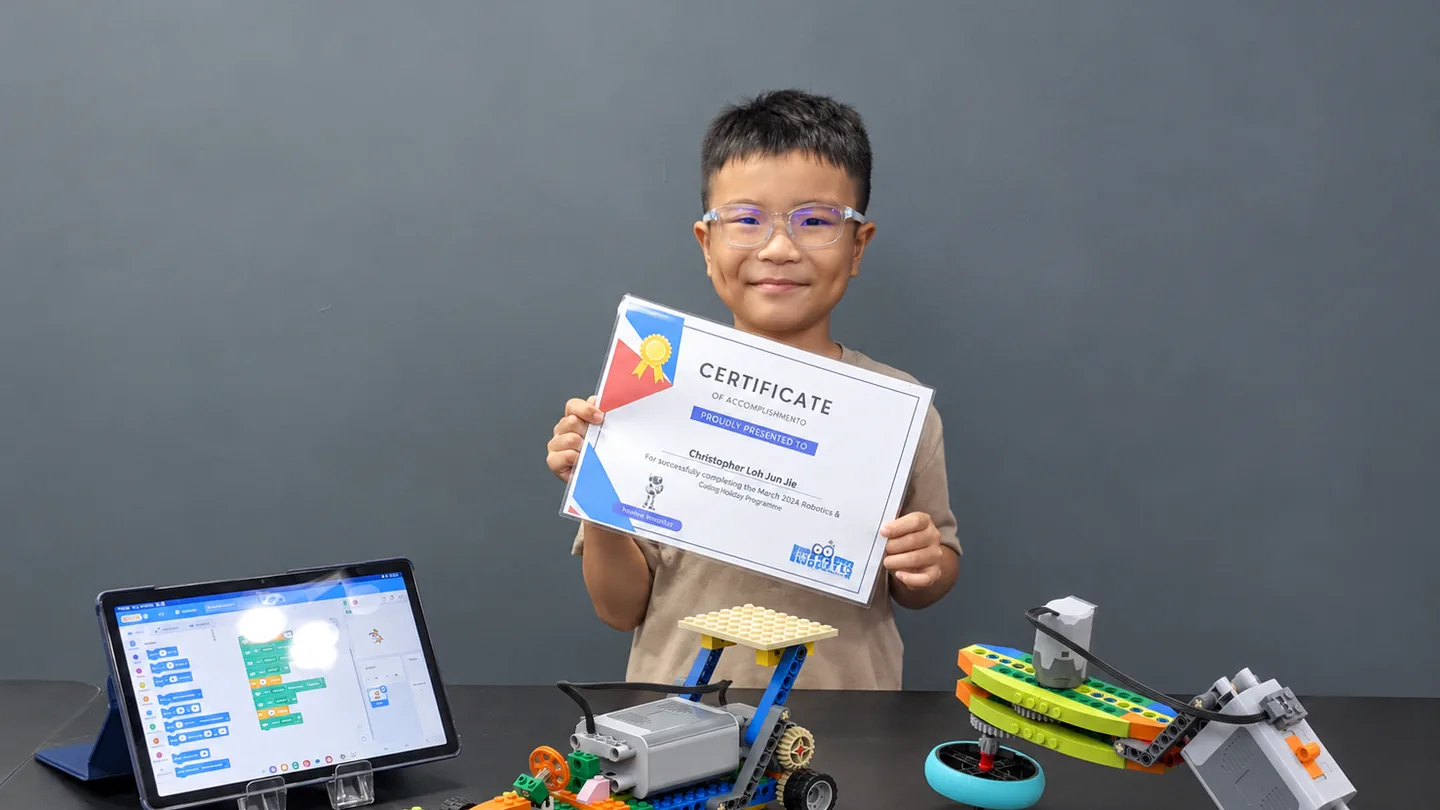
At Meta Robotics, coding is integrated with robotics and hands-on problem-solving activities.
Rather than treating programming as an isolated subject, our approach helps children understand how instructions can control physical systems and solve practical challenges.
Through our progressive robotics and coding programmes, children explore concepts appropriate to their age and learning stage.
Our NEBULA™ learning model emphasises building on previous learning experiences while introducing increasingly challenging concepts.
Children are encouraged to experiment, test their ideas and understand why their solutions work.
Our programmes cater to learners from age 3 onwards, with different levels designed to support progression as their abilities develop.
For parents who are unsure which starting point is suitable, an initial learning assessment can help identify a child’s interests and readiness.
Frequently Asked Questions
Can a 5-year-old learn coding?
Yes. Many children aged 5 can begin exploring coding concepts through icon-based coding, sequencing games and age-appropriate robotics activities. The focus should be on basic logic, experimentation and enjoyment rather than complex programming syntax.
Does my child need a computer to learn coding?
Not necessarily. Younger children can learn foundational coding concepts through unplugged activities and programmable robotics. More advanced digital coding activities will generally require a suitable device.
Is Scratch or Python better for beginners?
Scratch can be an accessible starting point because its visual blocks reduce syntax-related difficulties. Python may suit older beginners who are comfortable with reading, typing and more abstract programming concepts. The appropriate choice depends on the learner.
Are coding classes worth it for kids?
Coding classes can be worthwhile when they provide structured learning, appropriate guidance and meaningful opportunities to practise problem-solving and creativity. The value depends on the programme and the child’s interests.
Is coding difficult for children?
Coding can be challenging, but beginner activities can be adapted to different ages and abilities. Visual programming and hands-on projects can make foundational concepts easier to explore.
Will AI replace the need to learn coding?
AI can automate some programming tasks, but understanding logic, problem-solving and how to evaluate technical solutions remains useful. Learning coding can help children become more informed creators and users of technology.
How often should children attend coding classes?
Weekly lessons can provide a consistent learning routine, particularly when supported by progressive activities and opportunities for practice. However, the appropriate frequency depends on the child’s age, interest and schedule.
Conclusion: Helping Children Become Creators, Not Just Consumers of Technology
Coding education is not simply about preparing children for future technology careers.
It provides opportunities to develop logical thinking, creativity, perseverance and the ability to approach unfamiliar challenges.
Whether children begin with Scratch, Python or robotics, the most important consideration is the quality of their learning experience.
A suitable programme should encourage curiosity, provide age-appropriate challenges and help children understand the thinking behind their solutions.
In a world where technology and AI continue to evolve, these foundations can help children become more confident, thoughtful and capable users of technology.
Explore Coding and Robotics at Meta Robotics
Looking for a coding and robotics learning experience that combines logical thinking with hands-on exploration?
Discover Meta Robotics’ progressive robotics and coding programmes for children aged 3 and above.
You can also explore our Robotics Discovery Assessment to learn more about your child’s interests, readiness and suitable learning pathway.